
Added a Feature -
User Dashboard
Feature Focus
Dashboard
Solving user friction in tracking and managing portfolio activity
Solving user friction in tracking
and managing portfolio activity
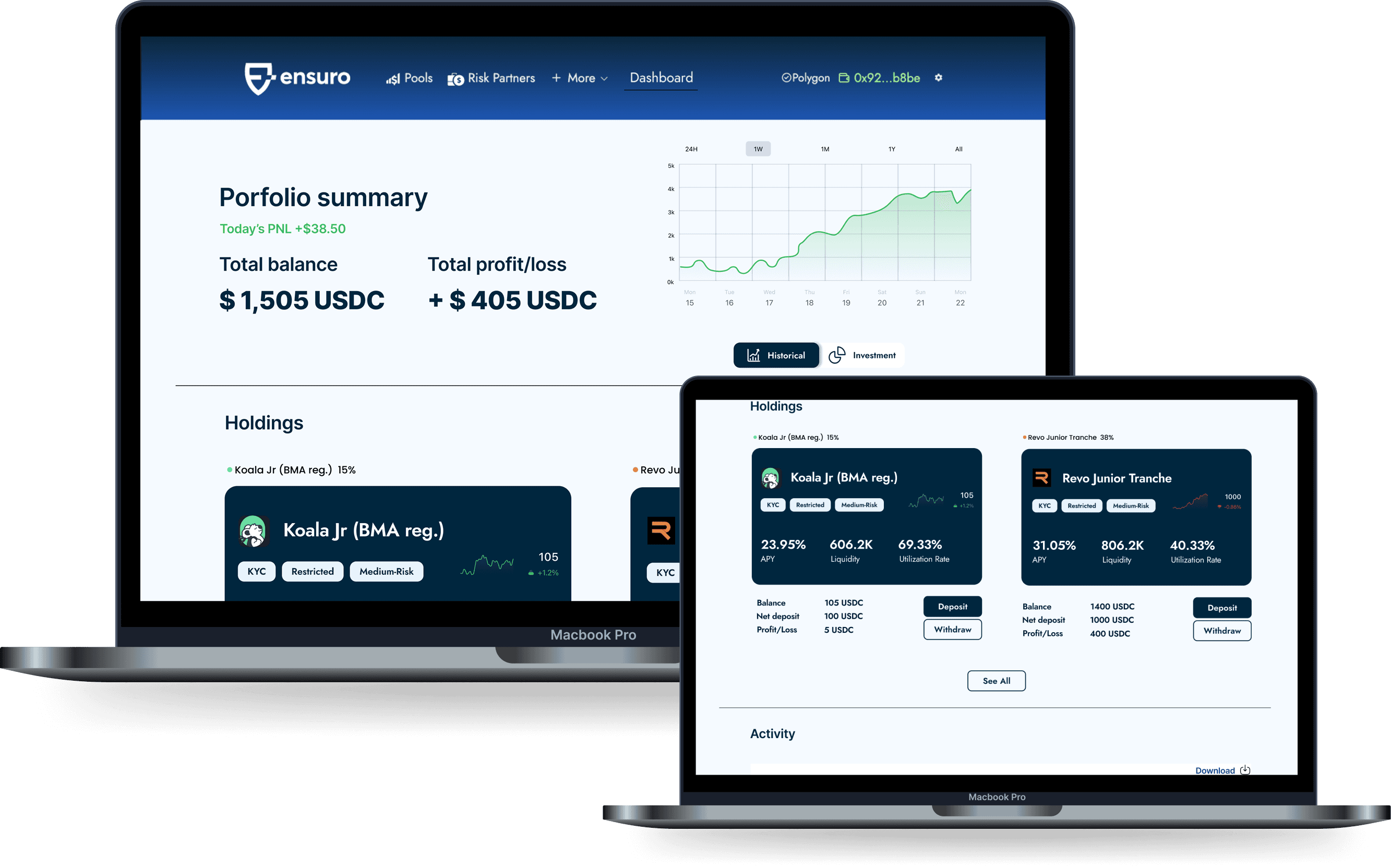
Added User Dashboard to Track funds
Added User Dashboard to Track funds

This solo project maintained the original design while adding a new feature to the Ensuro website: a user portfolio dashboard. From identifying the problem to UX research, visual design, and prototyping, my experience as an Ensuro user informed the design decisions.
Ensuro is a blockchain-based, licensed (re)insurance company that aims to make insurance more accessible to the public, allowing anyone to invest in insurance risk and benefit from it.
This solo project maintained the original design while adding a new feature to the Ensuro website: a user portfolio dashboard. From identifying the problem to UX research, visual design, and prototyping, my experience as an Ensuro user informed the design decisions.
Ensuro is a blockchain-based, licensed (re)insurance company that aims to make insurance more accessible to the public, allowing anyone to invest in insurance risk and benefit from it.
This solo project maintained the original design while adding a new feature to the Ensuro website: a user portfolio dashboard. From identifying the problem to UX research, visual design, and prototyping, my experience as an Ensuro user informed the design decisions.
Ensuro is a blockchain-based, licensed (re)insurance company that aims to make insurance more accessible to the public, allowing anyone to invest in insurance risk and benefit from it.
Role
Role
Solo UX/UI designer
Solo UX/UI designer
Goal
Goal
To improve the user experience by creating a dashboard for better investment tracking
To improve the user experience by creating a dashboard for better investment tracking
Problem
Problem
Lack of a visible dashboard for investors to track their funds
Lack of a visible dashboard for investors to track their funds
Duration
Duration
5 weeks
5 weeks
Interview and Identify the Challenge
Interview and Identify the Challenge
Interviewed 3 users
“I have to click through multiple pools just to find out where my money is. I wish there was a simple way to see all my investments in one place.”
- Frequent Ensuro Users
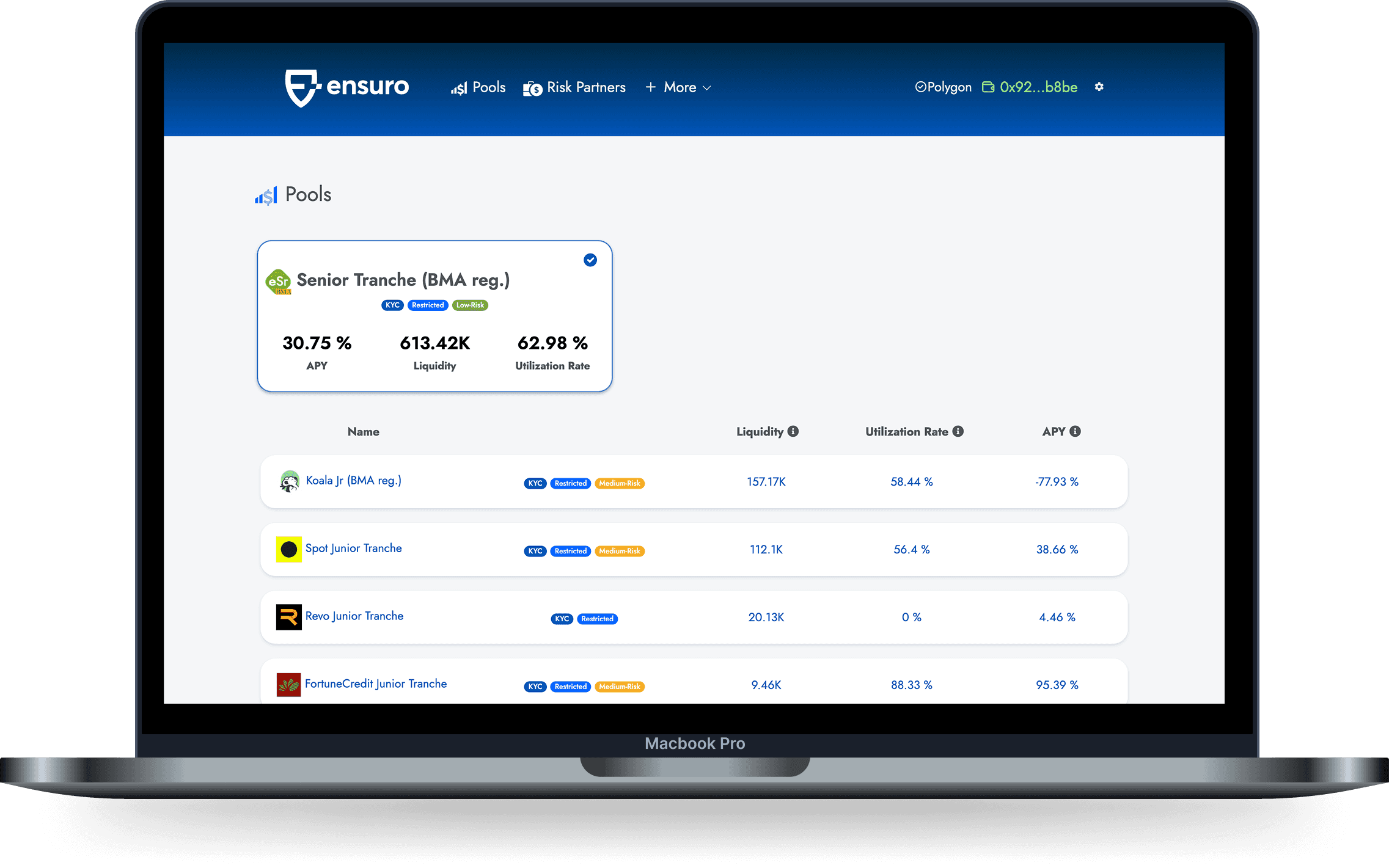
Listing pools and there is no portfolio overview
Listing pools and there is no portfolio overview
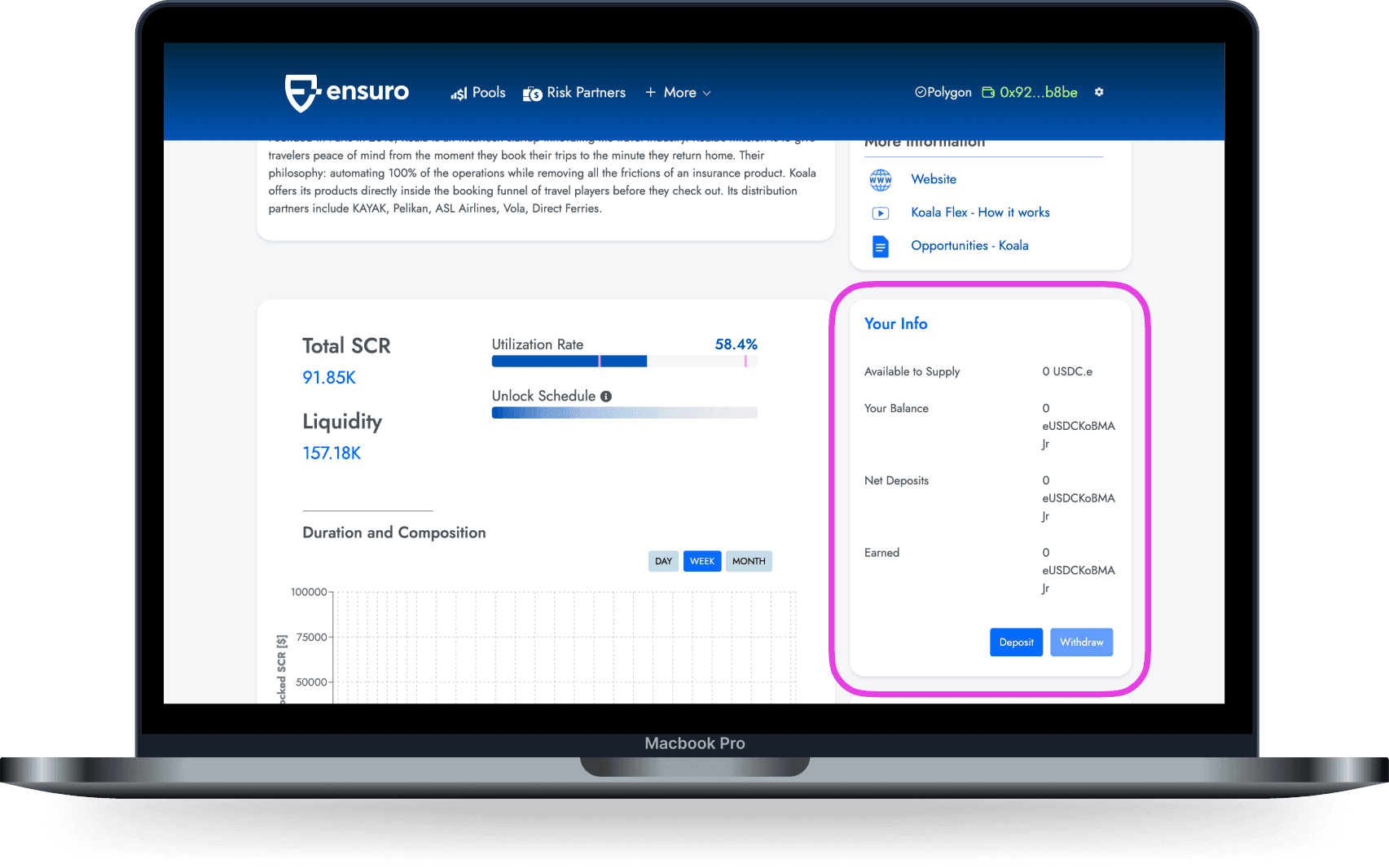
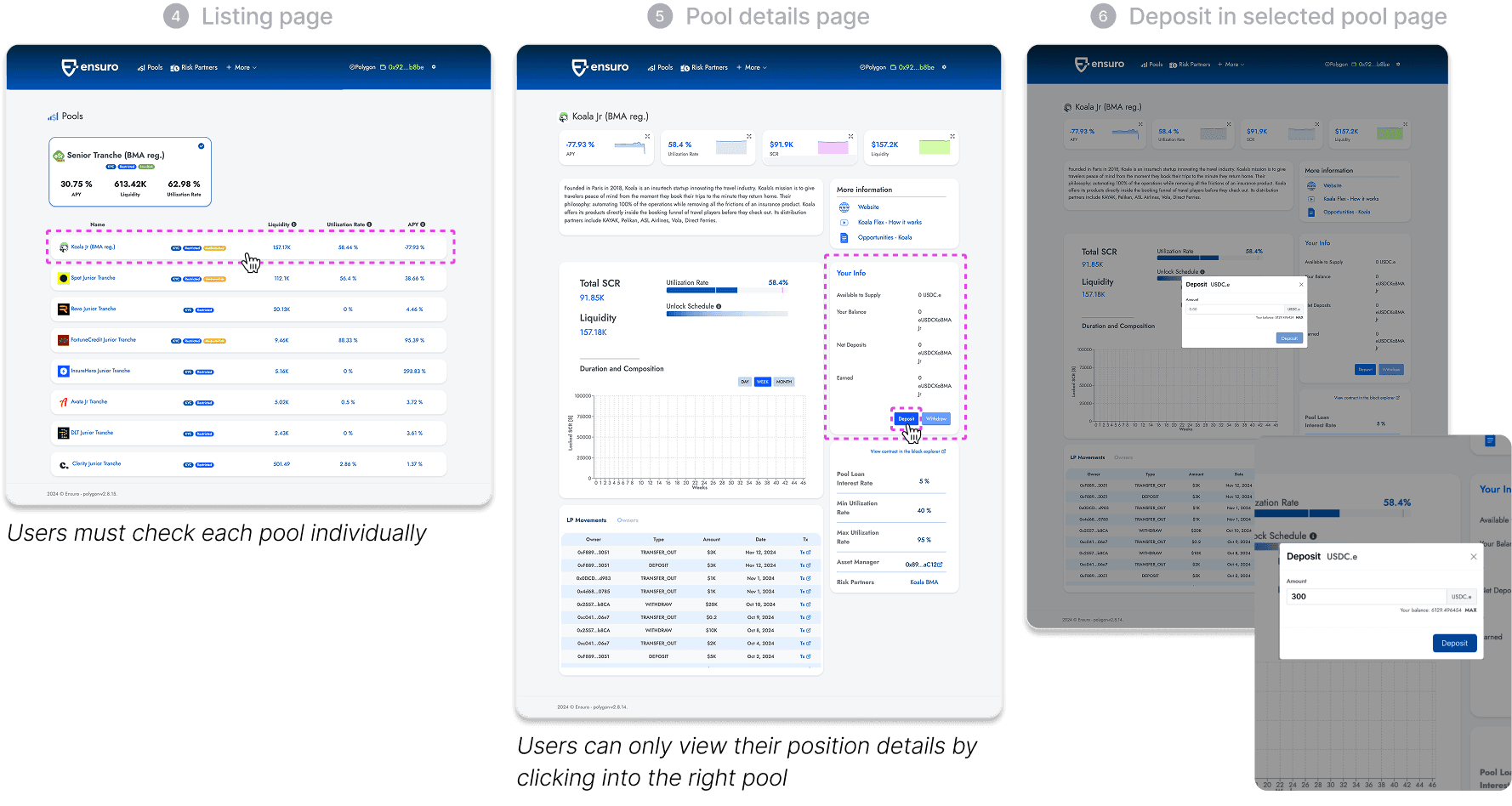
No overview of invested pools; users must check each one individually
No overview of invested pools; users must check each one individually
The core problem
Without a user portfolio overview, users struggle to track and manage their funds efficiently.
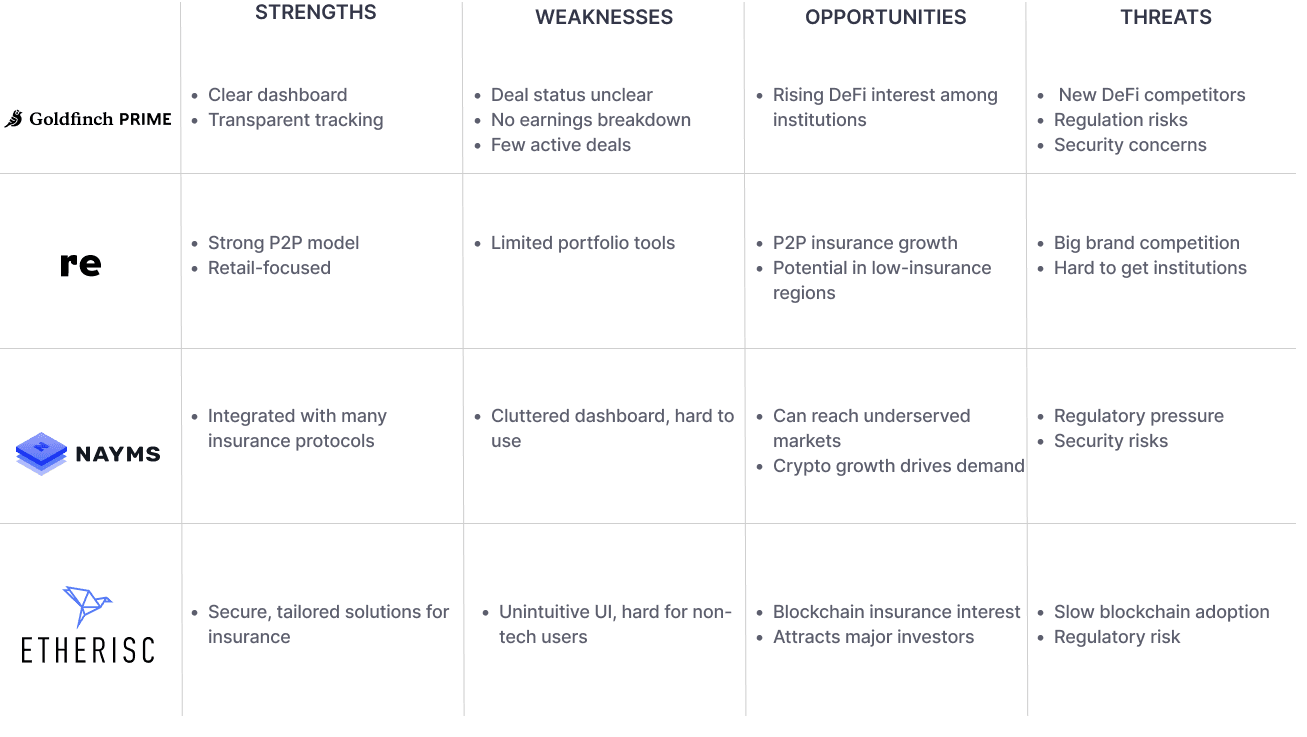
Competitor Analysis
Competitor Analysis
This analysis confirmed the importance and necessity of having a dedicated dashboard feature.
This analysis confirmed the importance and necessity of having a dedicated dashboard feature.
In-person interview
In-person interview
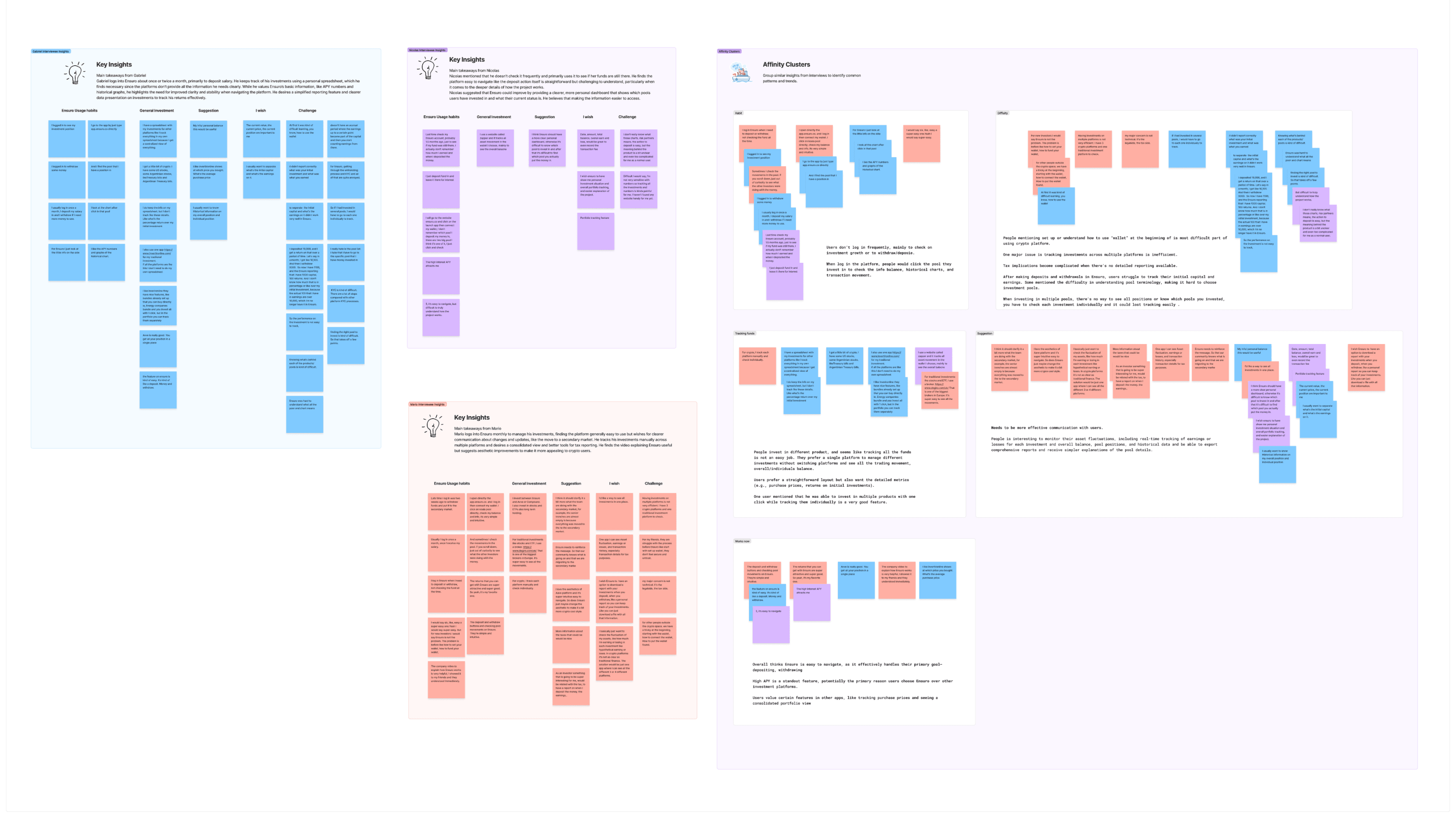
The affinity map revealed what users value and where Ensuro falls short, such as the need for a comprehensive overview.
The affinity map revealed what users value and where Ensuro falls short, such as the need for a comprehensive overview.
Personas
Personas
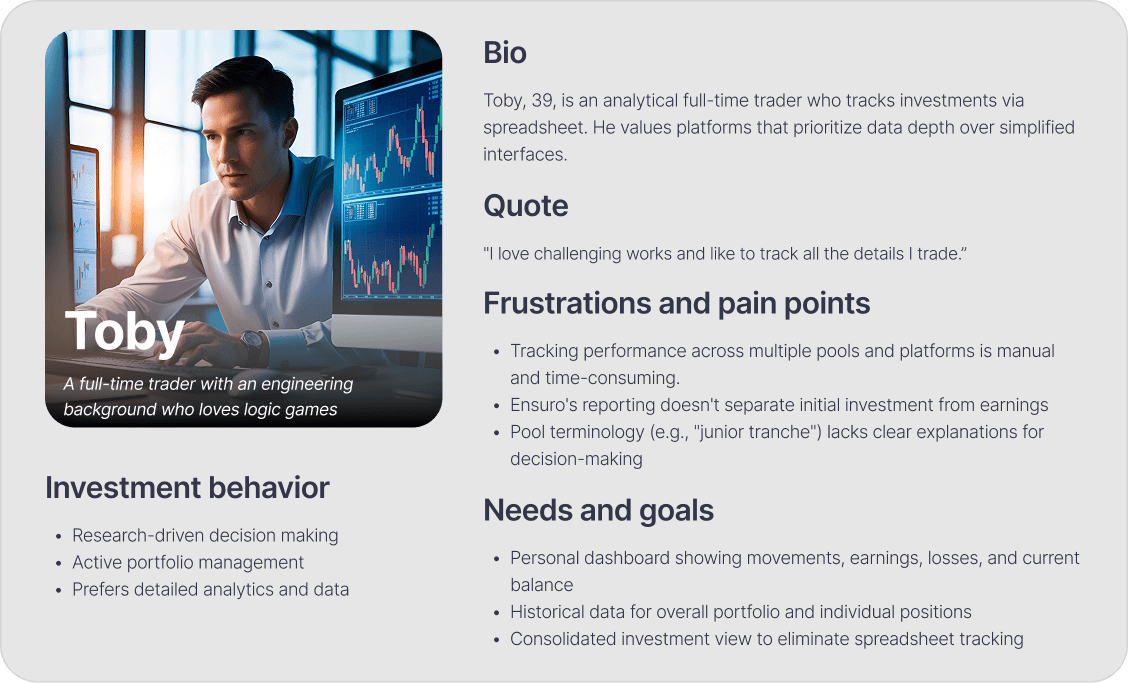
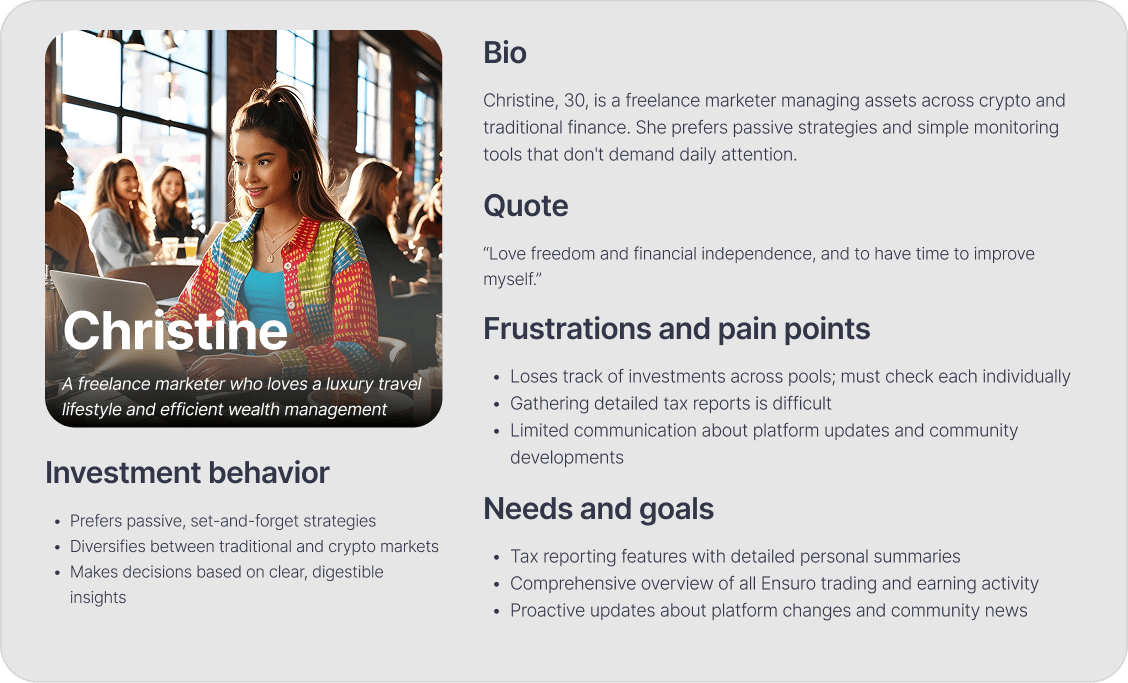
I created two personas who represent completely different groups of people, yet they share similar pain points and are looking for the same solution.
I created two personas who represent completely different groups of people, yet they share similar pain points and are looking for the same solution.
Project Goal
Project Goal

Final High-Fidelity Prototype
Final High-Fidelity Prototype
Below is the final high-fidelity prototype video, showcasing the new dashboard feature, demonstrating seamless investment tracking, depositing, and reporting feature.
Below is the final high-fidelity prototype video, showcasing the new dashboard feature, demonstrating seamless investment tracking, depositing, and reporting feature.
To tackle the challenge, I proposed:
To tackle the challenge, I proposed:
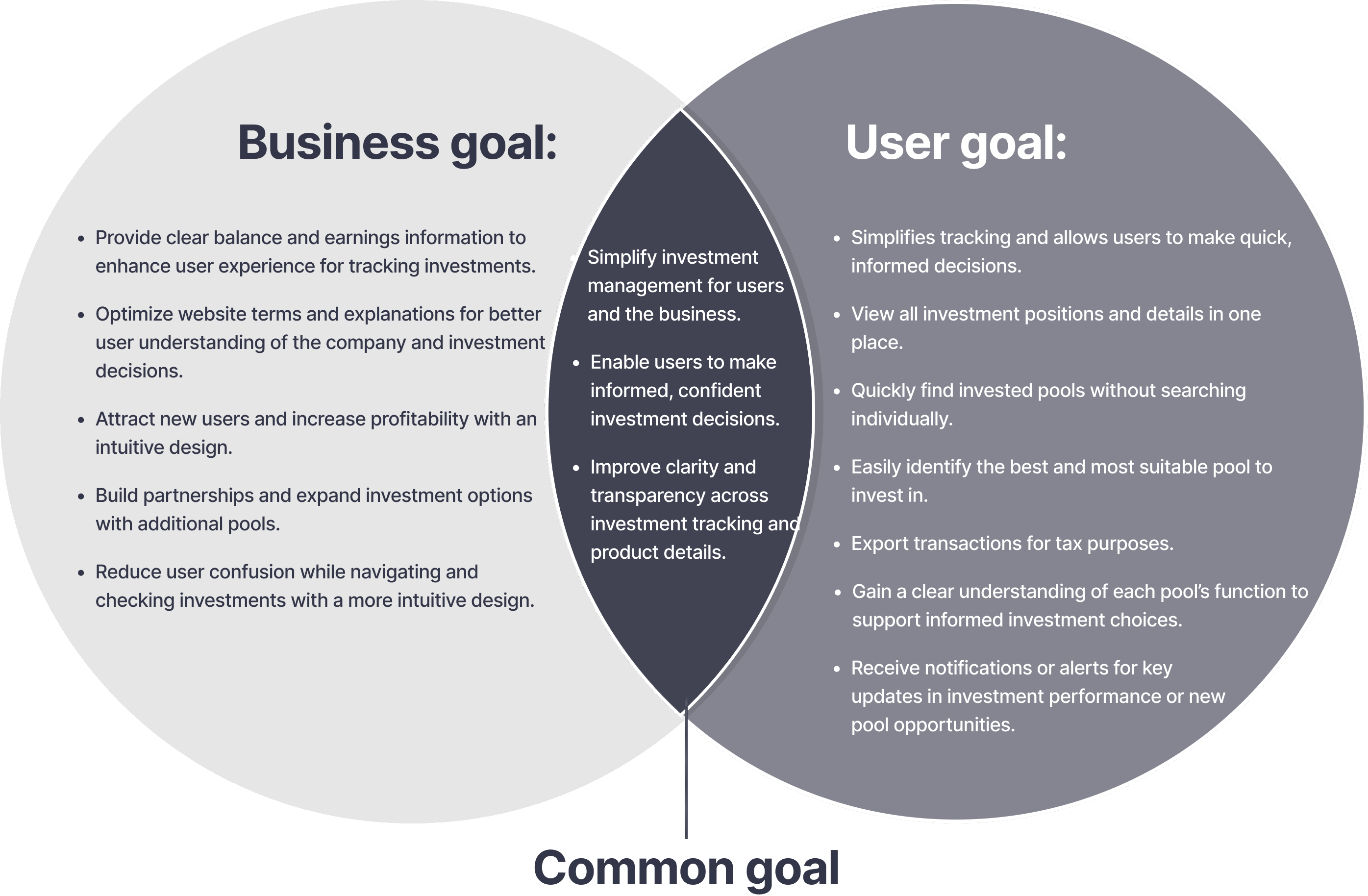
A personal dashboard to provide a centralized view of invested pools, balances, and performance, with exportable reports for tax purposes.
A personal dashboard to provide a centralized view of invested pools, balances, and performance, with exportable reports for tax purposes.
User flow
User flow
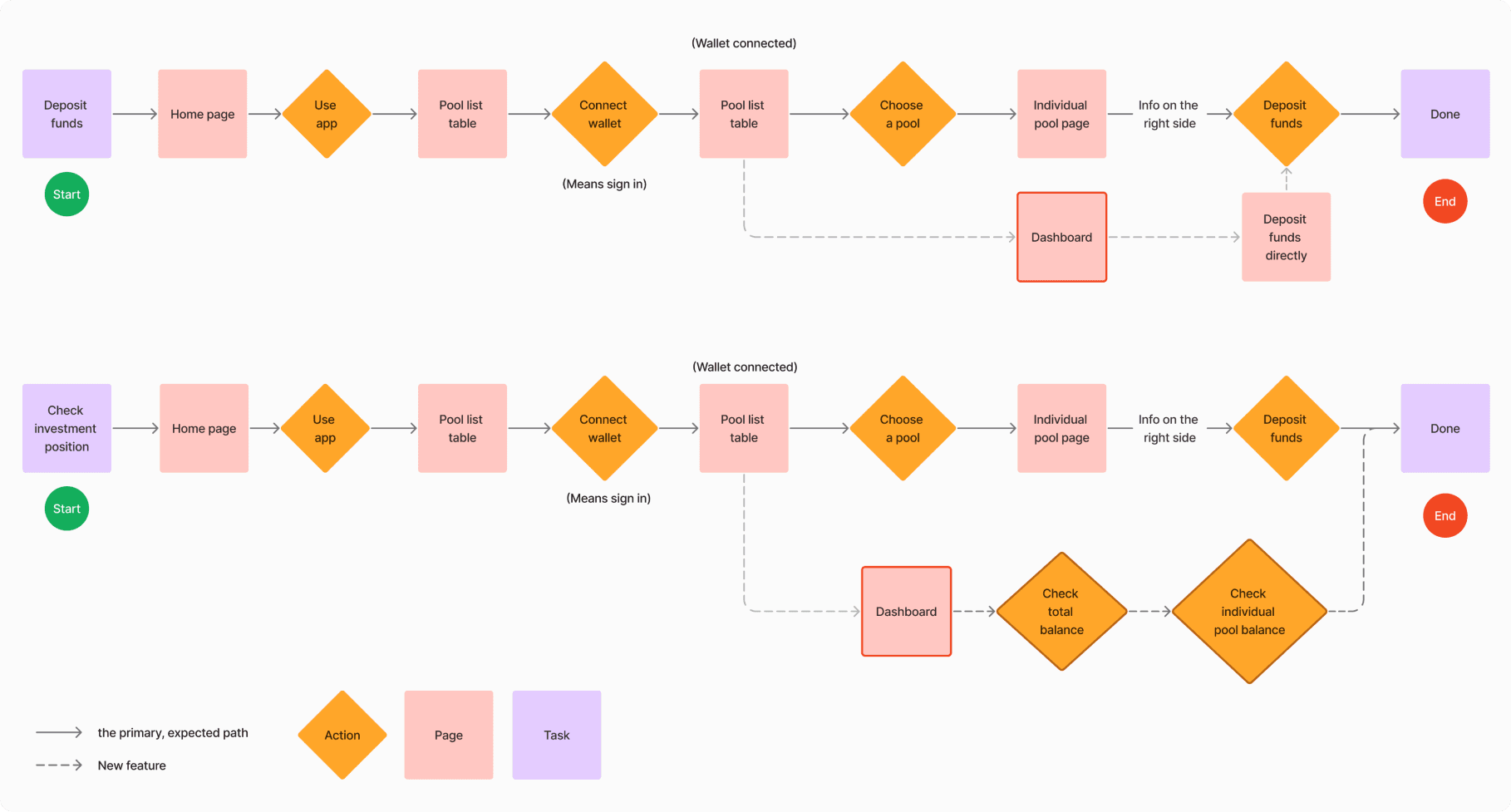
The original flow is functional, but adding a dashboard reduces user friction. The new dashboard enables users to view all invested pools and directly access deposit functions, eliminating the need to navigate back to the pool list or individual pool pages.
The original flow is functional, but adding a dashboard reduces user friction. The new dashboard enables users to view all invested pools and directly access deposit functions, eliminating the need to navigate back to the pool list or individual pool pages.
Key Screens
Key Screens
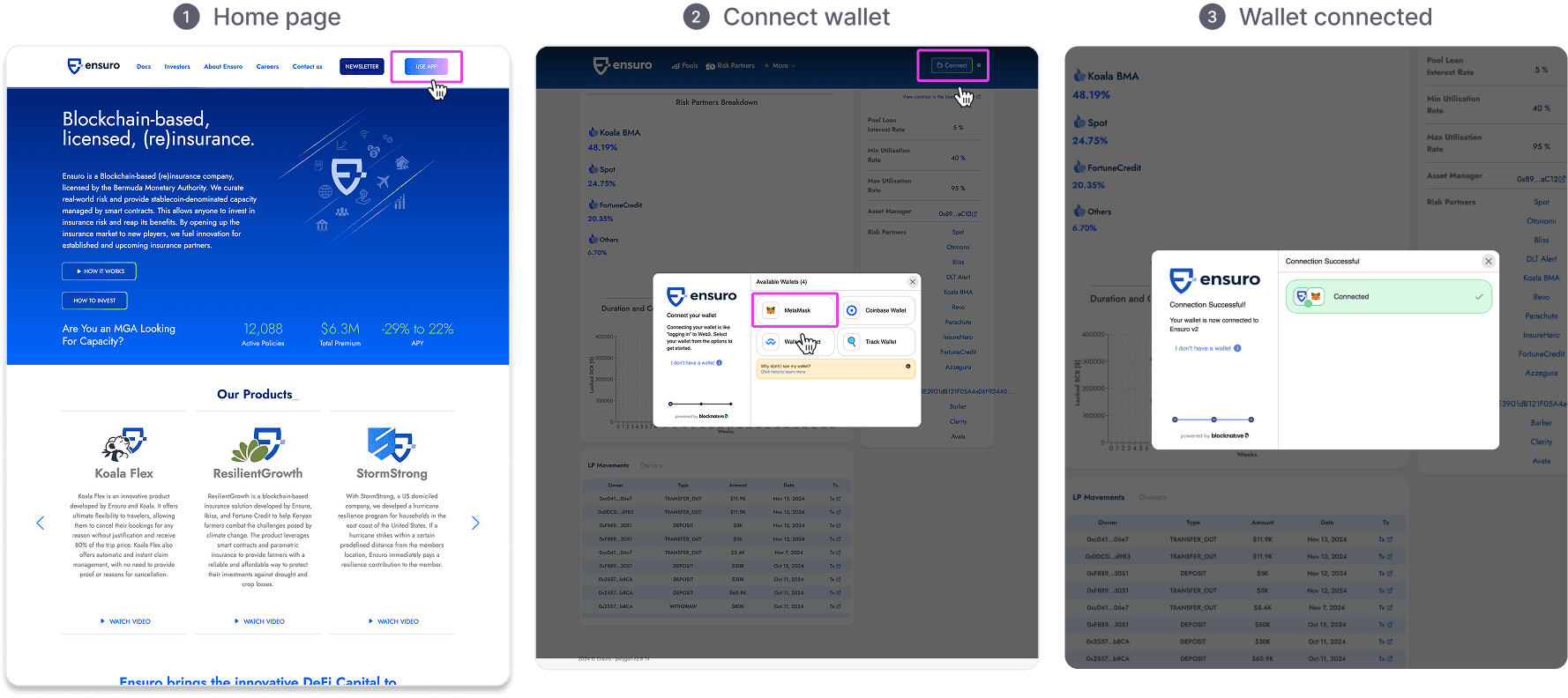
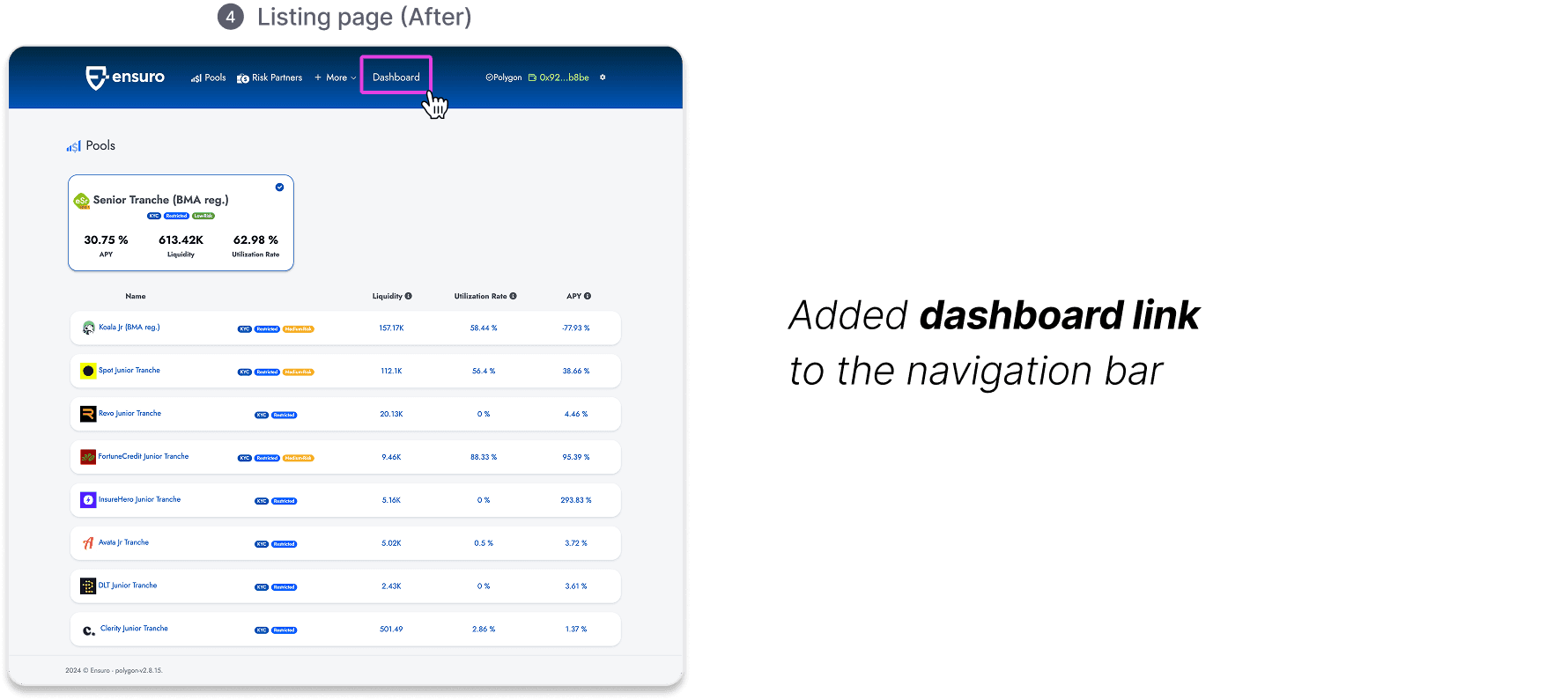
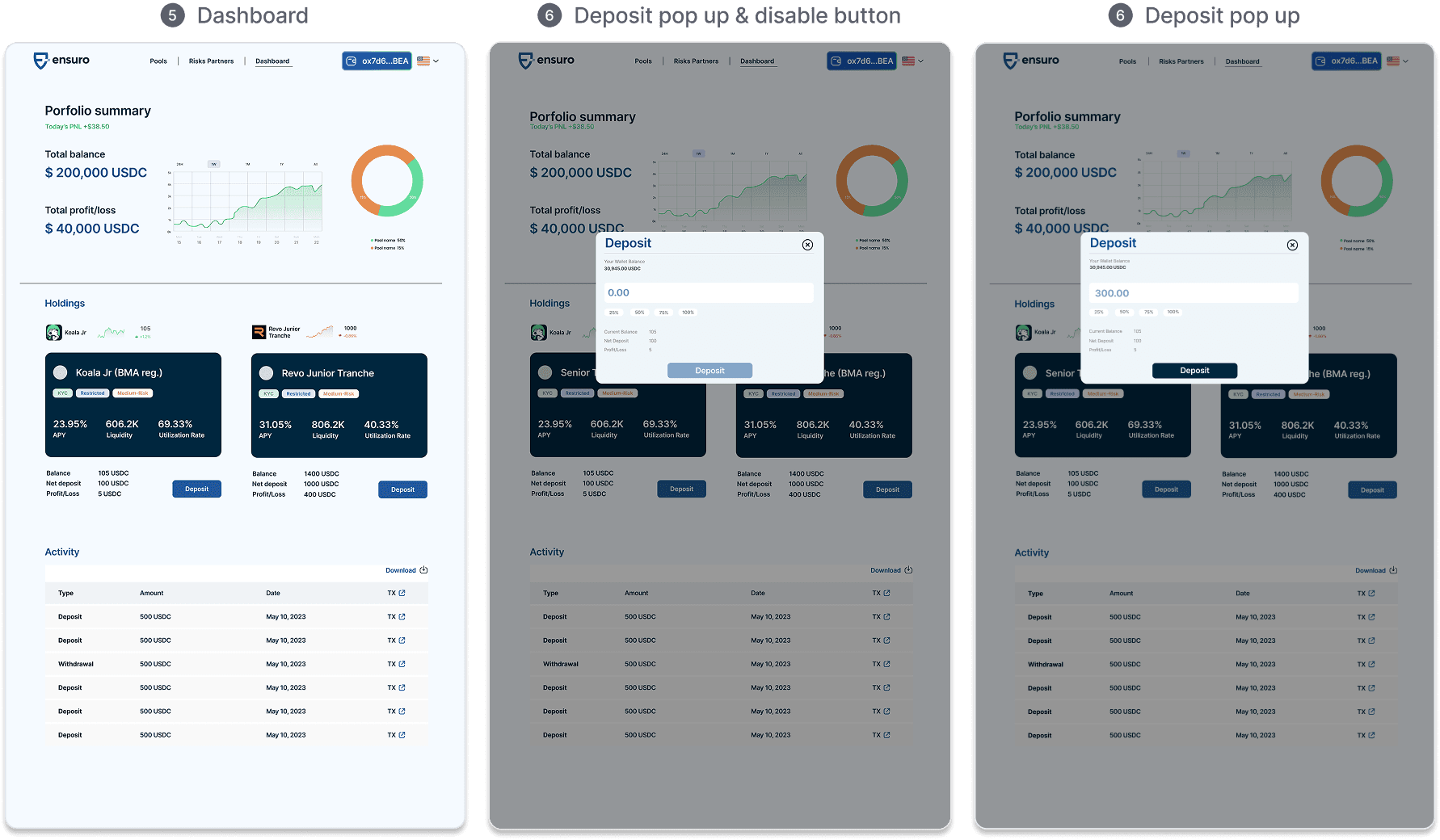
Below are the main touchpoints in the updated user flow, showing how the dashboard integrates into the existing experience.
Below are the main touchpoints in the updated user flow, showing how the dashboard integrates into the existing experience.
User Testing
Positive Feedback:
Clean, intuitive interface with easy navigation
Dashboard purpose was clear and effective
Areas for Improvement:
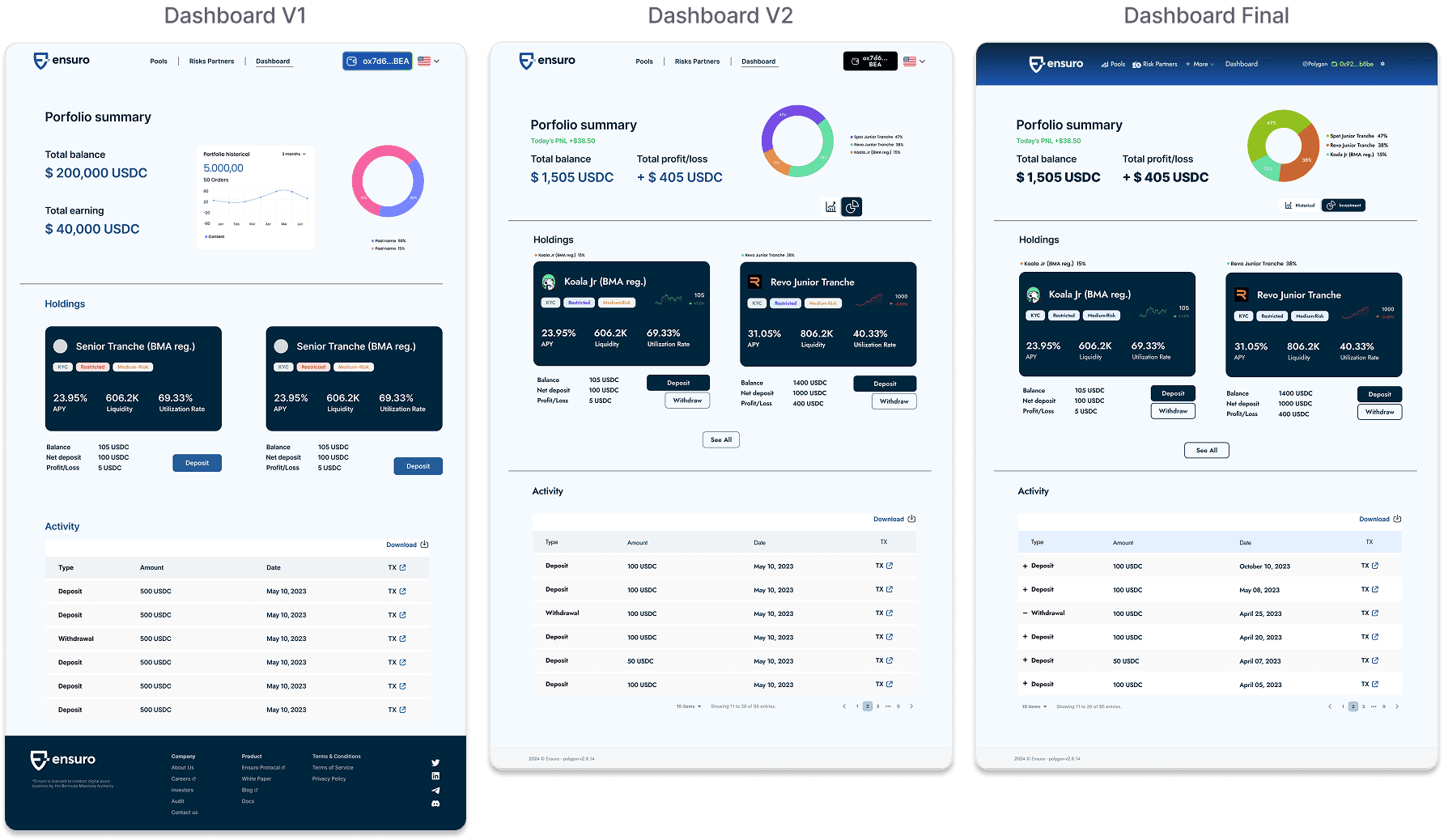
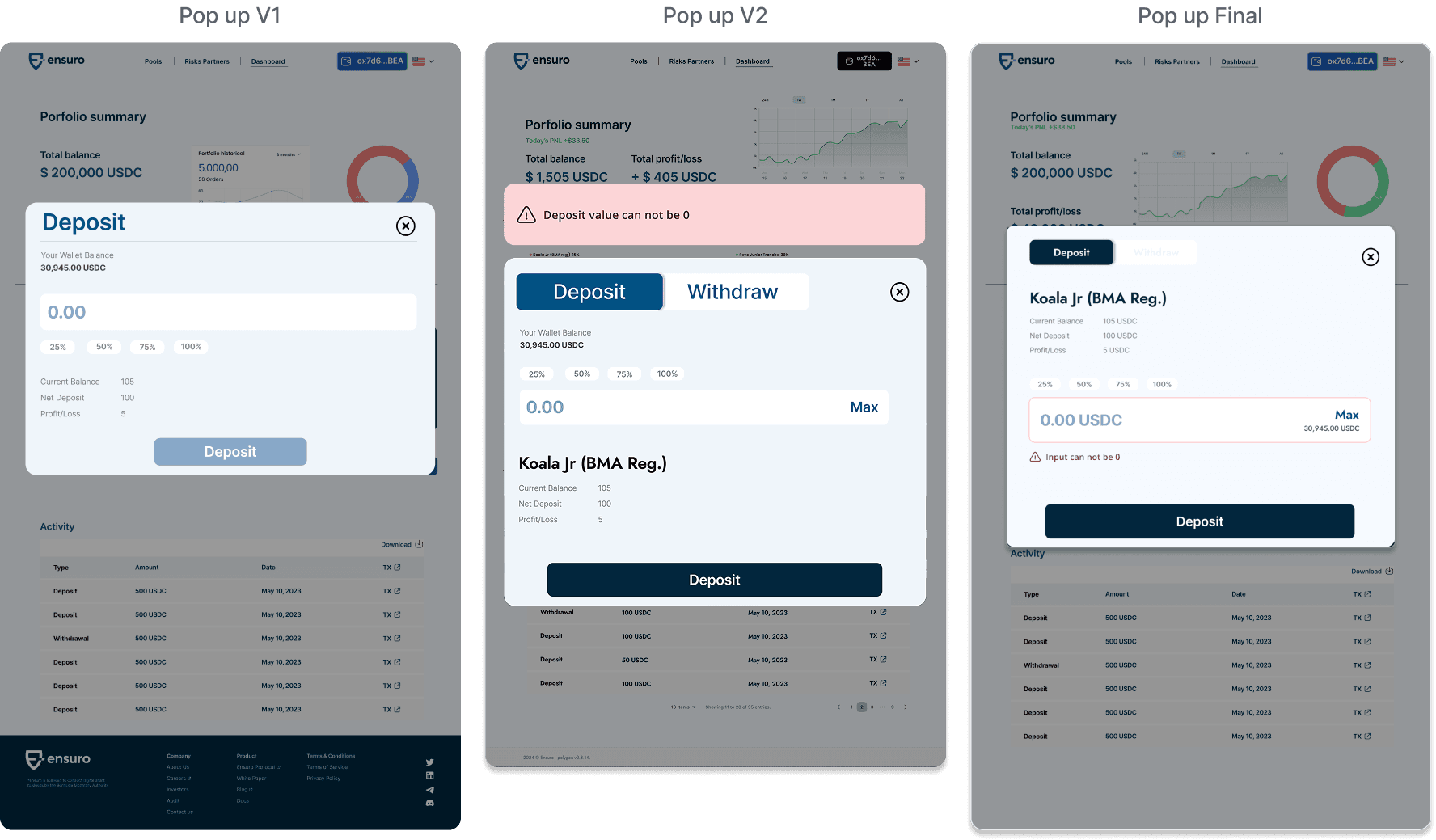
Visual hierarchy: Pie chart too small; deposit button size imbalance
Interaction design: Deposit/withdraw tabs drew accidental clicks; suggest removing tab-switching
Color system: 13 colors noted; reduced to 6-7 for better balance
Typography: Inconsistent fonts harmonized across interface
Data presentation: Movement table colors standardized
Dashboard & Deposit Design Iterations
Dashboard & Deposit Design Iterations
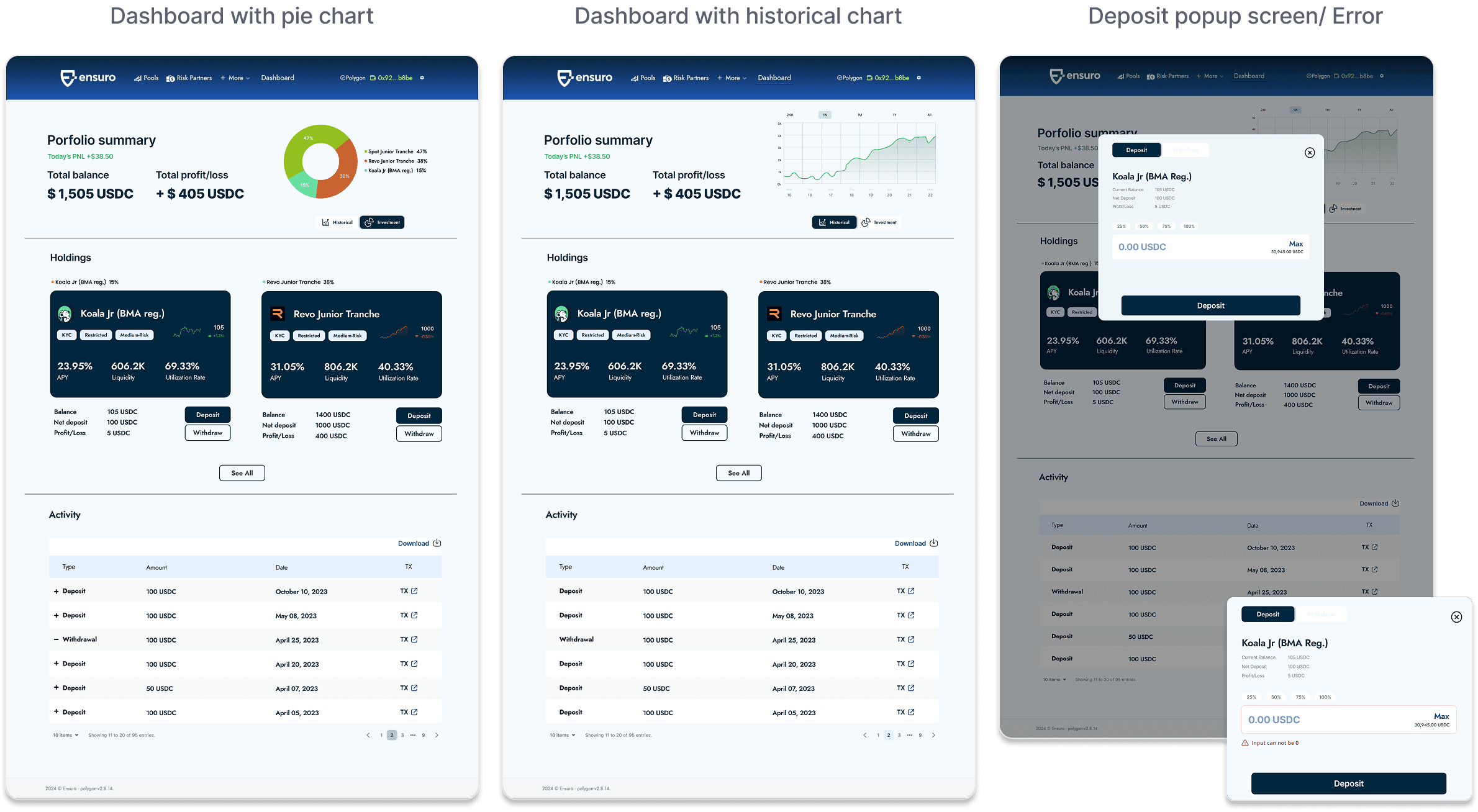
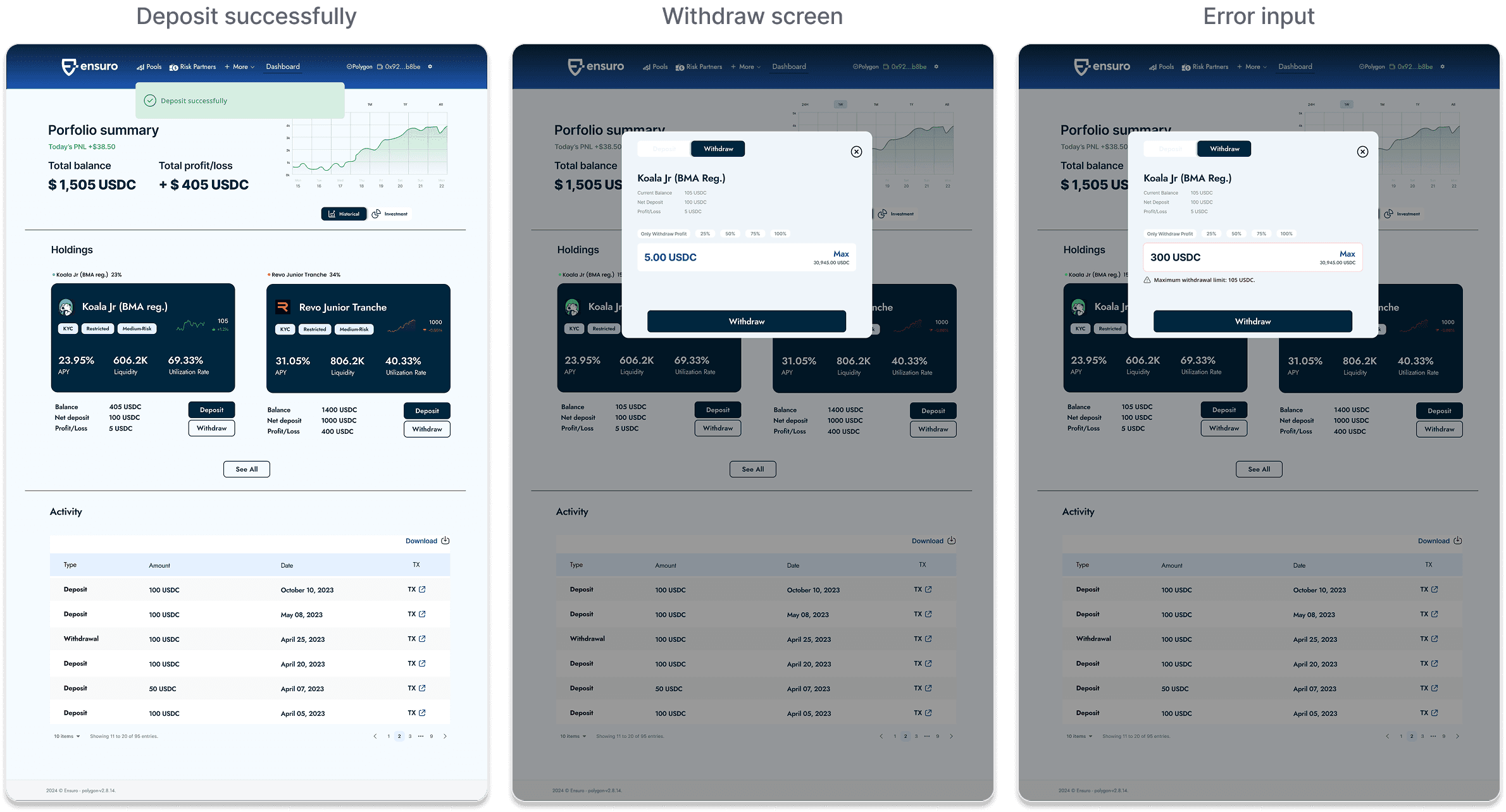
Final High-Fidelity wireframes
Final High-Fidelity wireframes
Impact and Reflection
Impact and Reflection
This dashboard feature demonstrated measurable value to Ensuro, leading to an expanded engagement for a full website rebrand. The redesigned site with interactive elements increased time on page by 25-30%, while the portfolio dashboard reduced navigation friction for active investors.
This project taught me the value of addressing both functional needs (tracking) and emotional needs (clarity and control), especially in crypto contexts where users often feel overwhelmed by technical complexity.
This dashboard feature demonstrated measurable value to Ensuro, leading to an expanded engagement for a full website rebrand. The redesigned site with interactive elements increased time on page by 25-30%, while the portfolio dashboard reduced navigation friction for active investors.
This project taught me the value of addressing both functional needs (tracking) and emotional needs (clarity), especially in crypto contexts where users often feel overwhelmed by technical jargon.